

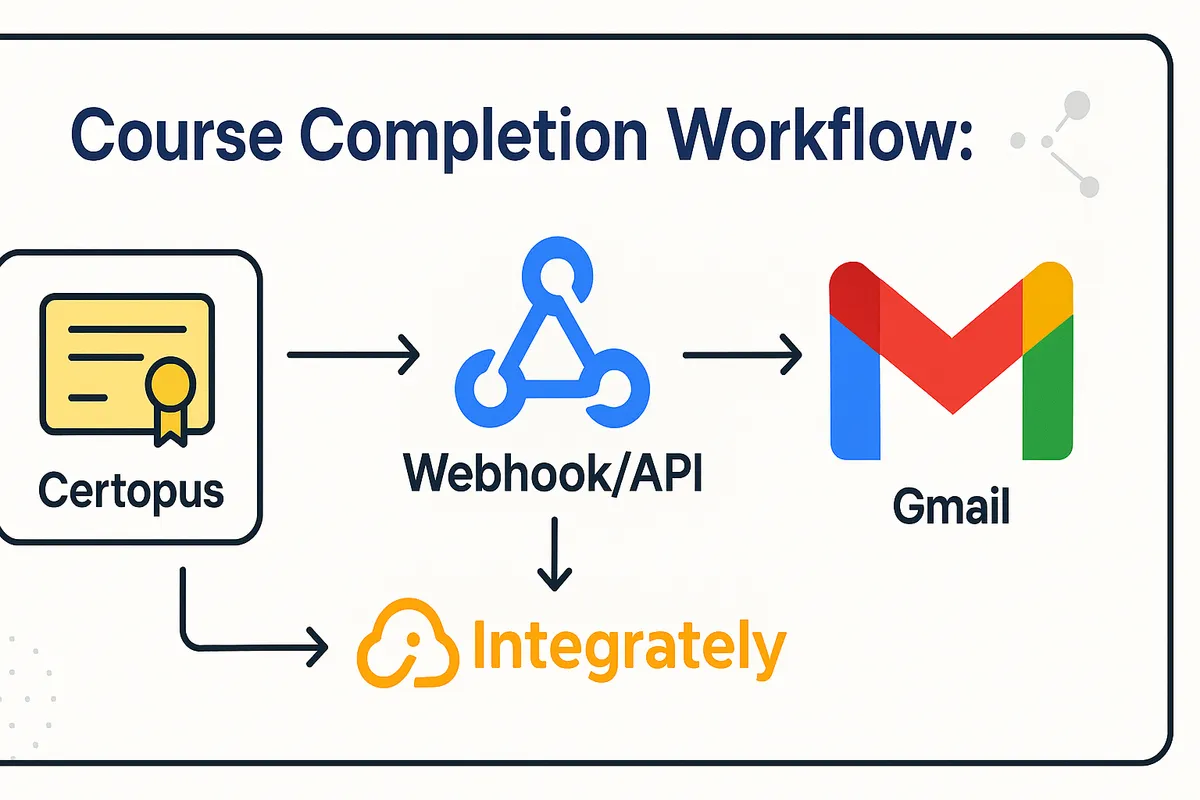

Automate your course completion certificate issuance process efficiently using Certopus, Integrately, and Gmail. This integration ensures that learners receive their secure, verifiable certificates instantly without manual work, improving experience and saving you time.
Step-by-Step Integration Process
- Log in to Your Certopus Account
Visit Certopus and log in to your account.
2. Access the API Center
Navigate to Profile Settings, then click on the API Center tab.
3. Copy Your API Key
In the API Center, copy your API Key. You will need this during the integration process.
 4. Log in to Your Integrately Account
Visit Integrately and log in. If you don’t have an account, sign up for free.
5. Search for Certopus
In the search bar, type “Certopus” and select it from the search results.
4. Log in to Your Integrately Account
Visit Integrately and log in. If you don’t have an account, sign up for free.
5. Search for Certopus
In the search bar, type “Certopus” and select it from the search results.
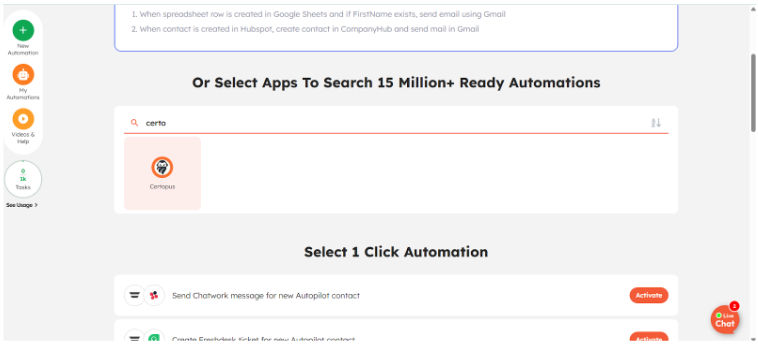 6. Select the Second App and Activate
Click the plus (+) icon to add another application to integrate, such as Gmail or Google Sheets. After selecting the app, click “Activate” to start setup.
6. Select the Second App and Activate
Click the plus (+) icon to add another application to integrate, such as Gmail or Google Sheets. After selecting the app, click “Activate” to start setup.
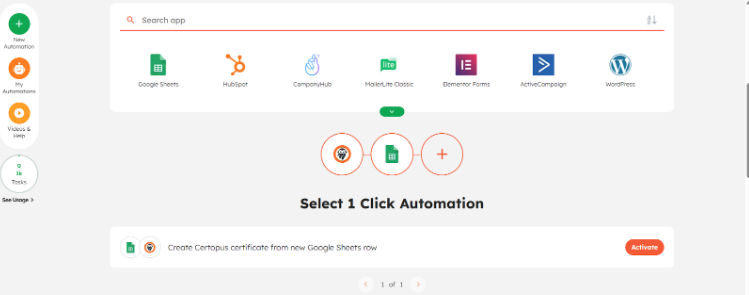 7. Fill in the App Details
If you choose Google Sheets, provide details like Spreadsheet Name and Worksheet Name.
7. Fill in the App Details
If you choose Google Sheets, provide details like Spreadsheet Name and Worksheet Name.
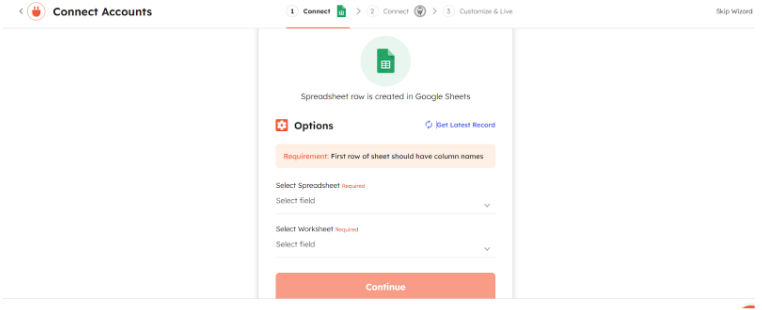 8. Paste the API Key
When prompted by Integrately, paste your Certopus API Key and click “Continue.”
8. Paste the API Key
When prompted by Integrately, paste your Certopus API Key and click “Continue.”
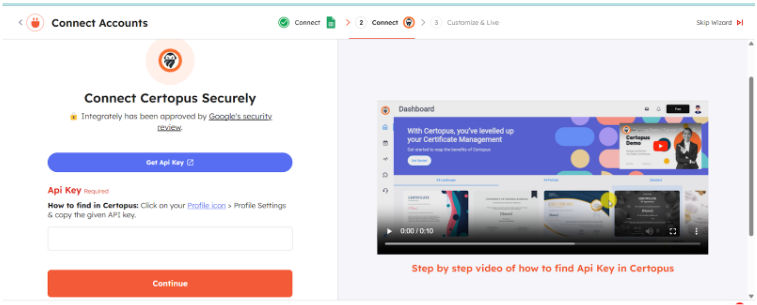 9. Complete the Required Certopus Details
Provide necessary information for certificate generation including:
9. Complete the Required Certopus Details
Provide necessary information for certificate generation including:
-
Organization Name
-
Event ID
-
Category

- Finish Setup Complete the setup to integrate Certopus with your selected app via Integrately successfully.
How the Workflow Works
-
When a learner completes a course, a trigger in your LMS, form, or spreadsheet sends data to Integrately.
-
Integrately uses the Certopus API key to instruct Certopus to generate a digital certificate with specific details.
-
The system then automatically sends the certificate via Gmail or another app of your choice, delivering it instantly to the learner’s email inbox.
This fully automated workflow eliminates manual data entry, speeding up delivery and reducing errors.
Key Benefits
-
Instant Certificate Delivery: Learners receive certificates immediately upon course completion.
-
Error Reduction: Automating certificate data import prevents typos and omissions.
-
Scalable: Easily handle hundreds or thousands of certificates without increasing staff workload.
-
Professional Appearance: Certopus digitally signs certificates with bank-level security, boosting your brand trust.
-
Customizable: Use white-labeled Certopus templates and personalized emails through Gmail.
-
Time-Saving: Saves hours every week otherwise spent on manual certificate creation and emailing.
Get Started with Certopus
💡 Start automating your certificates today with Certopus & Activepieces. Book a demo